Features · Published · Updated
How to Import Goodreads Books into Shelfies
By Shelfies · Editorial approach & corrections
Move your Goodreads CSV into Shelfies: export steps, supported book fields, preview checks, and import limitations.
You can move your Goodreads book list without adding every title by hand. Keep the original CSV as a backup and check a small selection after importing.
1. Export your Goodreads library
- Sign in to Goodreads in a browser and open its Import and Export page.
- Choose Export Library. Wait for the download link, then save the CSV file.
- Keep the file unchanged. Opening and resaving it in a spreadsheet can alter ISBNs and date formats.
2. Open the Shelfies importer
Sign in to Shelfies and choose Import library from the available library actions. Select Goodreads as the source and upload the CSV. The importer also supports StoryGraph, LibraryThing, Calibre, and a best-effort generic CSV mapping.
3. Check the preview before saving
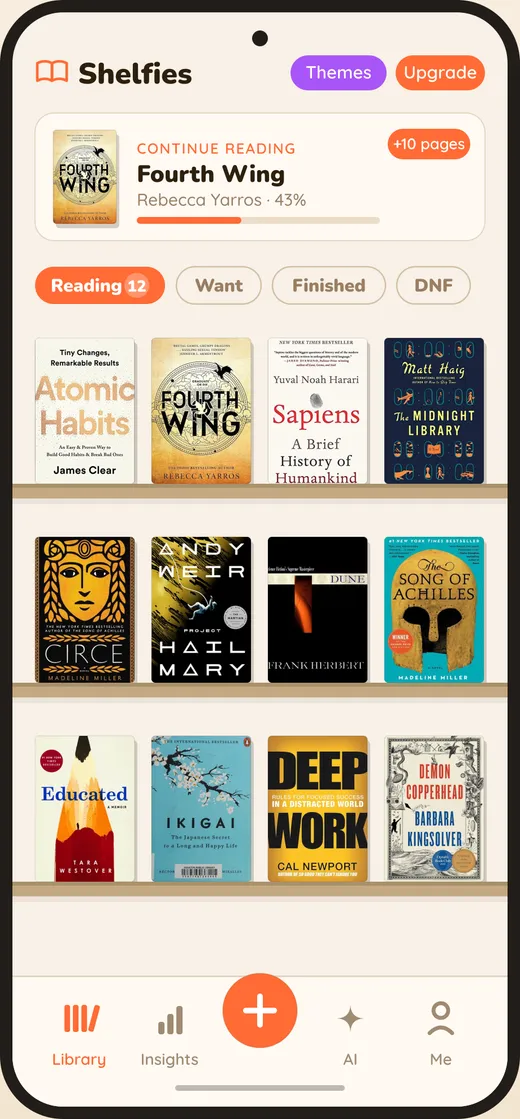
Review the detected books and status totals before starting the import. After saving, check a finished book, a currently-reading book, and a want-to-read book. Confirm titles, authors, editions, and page totals where they matter to you.
What the importer carries across
- Book title and author.
- ISBN and page count where the export provides them.
- Reading status and supported progress fields.
- A completion date for finished books when the export has a parseable read date.
What to keep in your backup
The current importer does not transfer Goodreads reviews, star ratings, private notes, custom shelf names, or a full reread history. A successful book import does not mean those fields were copied. Keep your export if you want to refer to them later.
If a book is missing or looks wrong
A row without a title is skipped. Missing or unrecognized data may use a fallback; cover images are looked up separately and can differ from your edition. Correct individual records after import. Check your shelf before uploading the same file again, because repeated imports can create duplicates.
Once your books are in place, try tracking a reading session or setting a manageable reading goal.
Sources
Shelfies is a modern, mobile-first reading tracker with AI recommendations, progress tracking, streaks, and quotes. Try the web app or explore the Android download and iOS waitlist options.
Track your reading with Shelfies
Organize your books, log reading sessions, and explore AI tools. Available on Android and the web, with an iOS waitlist. See the app for current free and Pro features.
Get Shelfies