Features · August 9, 2026
Adding Books to Shelfies: Barcode, Search or Just Say It
Three ways to add a book to your Shelfies library — scan the barcode, search the title, or speak it. Plus bulk import from Goodreads.

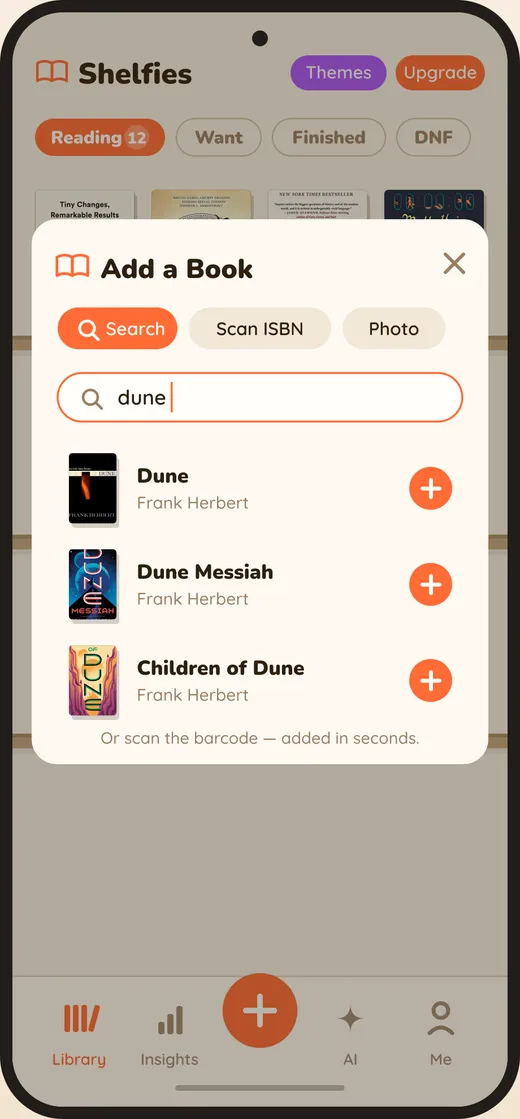
The reason most reading trackers fail is friction at the front door. If adding a book takes six taps and a typo, you stop adding books, and a library with holes in it is worse than no library at all.
Scan the barcode
Point the camera at the ISBN on the back cover. Cover art, author, page count and publication data arrive already filled in. This is the fastest route when the book is in your hands, and it is the one to use when you are standing in a bookshop deciding.
Search the title
For ebooks, library holds and anything you do not physically own. Partial titles work, and the cover picker lets you choose the edition whose spine you actually want on your shelf — which matters more than it sounds when you are looking at a grid of covers every day.
Say it
Voice entry exists for the moment you are told about a book and have about four seconds before you forget the name. Say it, and it is on the shelf.
Bring your whole library at once
If you are coming from Goodreads or LibraryThing, export the CSV and import it. Shelves, ratings and read dates come across, so you are not starting from an empty room.
Why it matters
Every one of these exists to solve the same problem: the gap between hearing about a book and having it recorded. Close that gap and your to-be-read list stops being a vague sense of obligation and starts being a list you can actually choose from.
Shelfies is a modern, mobile-first reading tracker with AI recommendations, progress tracking, streaks, and quotes — built to replace Goodreads and StoryGraph for readers who want a faster, prettier experience.
Try Shelfies free
The modern, AI-powered reading tracker. 24-hour free trial of every Pro feature — no credit card to start.
Open Shelfies